iOS Data Protection
This translation was generated automatically.
The Data Protection discussion in Bits und so #340 could use a few more details.
Devices from the iPhone 3GS onward always encrypt their physical storage. This is what makes, for example, fast remote erasure possible: the device can remove a key from a special area called Effaceable Storage, making the stored contents inaccessible.
There are also Data Protection classes. When creating files, an app can assign data to a class that determines when the app can read it again. The classes are:
- No Protection — the file is always accessible.
- Complete — the file is inaccessible unless the device is unlocked.
- Complete unless already open — open files remain readable even if the device is locked again.
- Complete until first login — the file is inaccessible until the device has been unlocked once after booting.
An app can query a file’s class, and it can ask whether protected files are currently readable. That check only returns a negative result while the device is locked.
So an app cannot tell whether its data is accessible because the user entered a passcode or because no passcode is set.
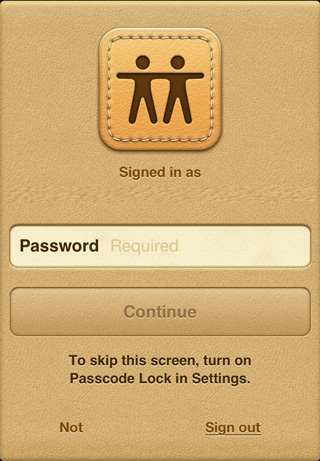 Apple’s own apps, such as Find My Friends, can access this information and use it sensibly. If the user has a passcode, the app doesn’t need to ask for the Apple ID password. Without a passcode, it does.
In an enterprise environment, a configuration profile can require a passcode. An associated enterprise app can then assume that the user entered the passcode when its data is accessible. App Store apps don’t have this assurance.
Keychain entries have classes analogous to file Data Protection classes, with additional special cases. With “ThisDeviceOnly” classes, an entry remains accessible after backup and restore only if the restore is on the same device. The documentation also distinguishes a restore to another device from a new installation on the same device.
This device binding uses the UID, a 256-bit AES key burned into the CPU during manufacture. Apple says neither it nor its suppliers keep a copy of this key.
For iTunes and iCloud backups, keybags are created. They contain the keys that allow backups to run in the background without entering the passcode. In enterprise environments, they also make it possible to reset a forgotten passcode.