Ouya
This translation was generated automatically.
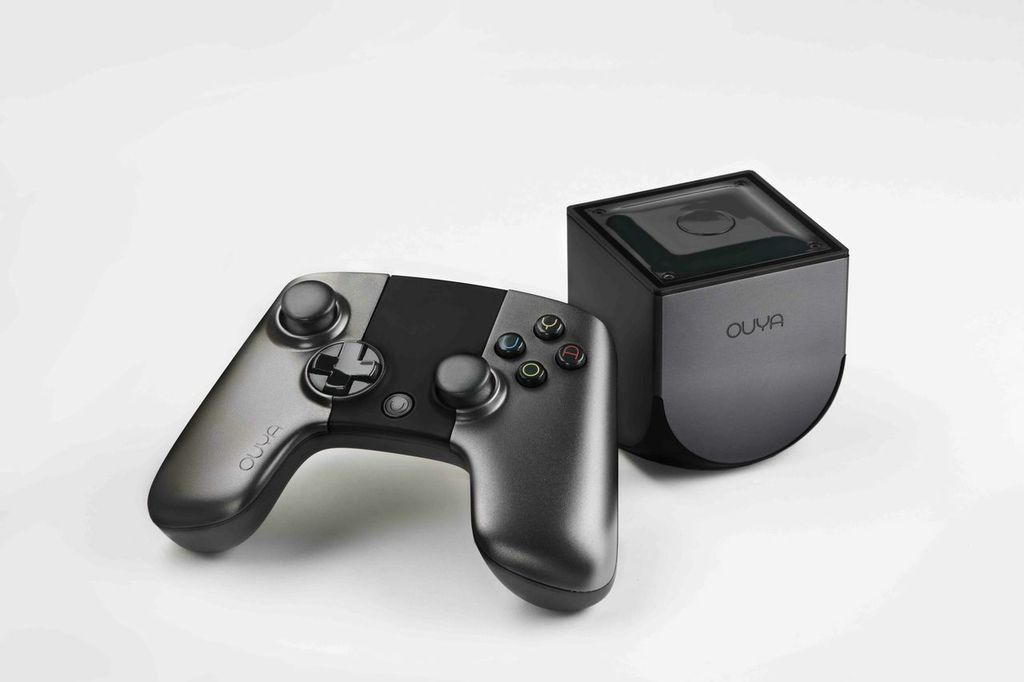
Ten months after the Kickstarter campaign and three months late, the Ouya finally arrives. DHL Express brought the package from Hong Kong in three days. The courier collected €13 in import VAT. Ouya hasn’t incurred the wrath of the Federal Post Office and customs (see Pebble).
A nasty chemical smell pours out of the box, like cheap plastic Ethernet switches. I haven’t encountered one this strong in a long time.
The universal power supply has a European plug, and the box also includes two AA batteries for the controller and an HDMI cable.
The controller’s two battery compartments are oddly placed under the upper grip covers. Removing the protective films isn’t impossible, but it’s fiddly. The controller feels reasonably good in the hand, though the trigger buttons have squeaky little springs. The D-pad also can’t match the precise rocker controls on “proper” consoles.
The software starts with a long update download, cheerful status messages, and a reboot. Ouya’s own interface is an unhealthy salmon pink with rather odd labels. “Discover” is where you find the sluggish app store.
The little cube is a tablet Android device for an external 60-inch screen, and it shows. The system interface is only one layer deep; behind it is standard Android operated with keyboard and arrow keys, only through the controller. The settings include a battery indicator and options for the external display alongside the (non-existent) tablet screen.
The Ouya interface responds painfully slowly. Even screenshots and icons in the app store load more slowly than in the haunted iOS 6 App Store—and there are practically no users on the server.
Every game comes with a mandatory demo, so it’s initially free to download. On the app’s detail screen, click Download and wait. Then back out through every menu layer to the home screen, open Play, and wait for each game’s initially unlabeled Install icon. Click that, accept Android’s installation permissions, and only then does it install. After that, you can launch the game.
There are currently about 130 titles listed, including emulators.
Polarity is a Portal-inspired cube puzzler. It has an enormous input lag: the sticks react with a huge delay. I noticed it in other games too, though less severely.
Polarity looks quite nice in the video, but the sparse visuals are disappointing. Portal itself wasn’t especially graphics-heavy, but it had far more attention to detail—and on a 60-inch screen, the lack is even more obvious.
I think Ouya should move its planned retail launch from summer to the holiday season. The software in this state is acceptable for Kickstarter backers, but it’s too clunky for retail customers who aren’t especially forgiving.
On the other hand, even this mixed first impression shows what Apple could do with Apple TV.